



Town & Country Jeep Chrysler Dodge Ram

Blog / Chrysler

Family-Friendly Chrysler Pacifica Choices for Long Island Life

Chrysler Pacifica

Discover Why Families Love the Chrysler Pacifica

Busy Long Island families need a vehicle that keeps up. School and daycare drop-offs, commuting on the Long Island Expressway, grocery runs, beach days, and long drives to see relatives all ask a lot from one family car. The Chrysler Pacifica is built to handle that rhythm with comfort, space, and smart features that make every trip a little easier.

Instead of feeling like just another minivan, the Pacifica feels like a helpful partner in daily life. It brings style, family-focused technology, and strong safety features into one easy-to-drive package. For many local drivers, it has become the go-to choice when they want something family-ready without giving up comfort or convenience.

We see that every day at our Levittown dealership when families explore the different Pacifica models and trims. Below, we break down how to choose the right Chrysler Pacifica in Long Island, from everyday comfort and tech to safety, powertrains, and trims that match your routine.

Everyday Comfort for Long Island Commutes

A minivan should first be great at hauling people and stuff, and the Pacifica does that very well. Inside, there is room for seven or eight passengers depending on configuration, which works nicely for bigger families, carpools, and grandparents coming along for the ride.

Key comfort and space features include:

  • Flexible seating for up to seven or eight passengers 
  • Stow 'n Go seating in the second and third rows 
  • Flat-folding seats for a big, open cargo area 
  • Plenty of small-item storage for snacks, toys, and bags 

The Stow 'n Go system is especially helpful on Long Island. You can drop the third row into the floor for a Costco run in Levittown, slide in strollers or sports bags for practice, or load beach chairs and coolers for a day on the South Shore. When you need the seats again, just pull them back up without needing to remove heavy chairs from the van.

Parents also appreciate how easy the Pacifica is to live with in busy parking lots and tight driveways. Sliding rear doors help a lot at crowded Nassau County shopping centers or school pick-up areas. The low step-in height is friendly for toddlers and older relatives, and the access to car seat attachment points makes it less of a struggle to install and adjust child seats.

The ride is tuned for comfort, which matters when you are dealing with local potholes or long stretches of traffic. A smooth suspension and sound-deadening materials help quiet wind and road noise, so the cabin feels calmer even when the Belt Parkway or Long Island Expressway is backed up. With tri-zone climate control, the driver, front passenger, and rear rows can each get the temperature they like, which cuts down on arguments in every season.

Smart Tech for School Runs and Summer Road Trips

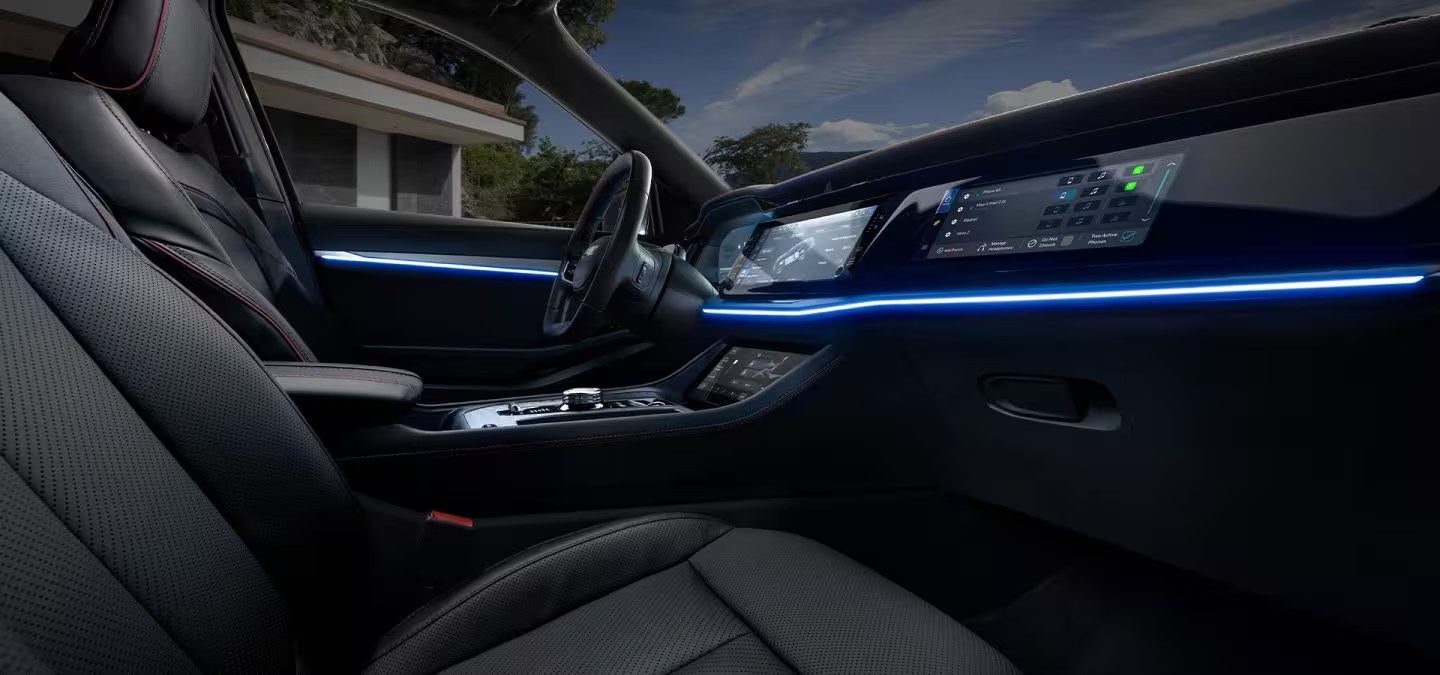
The Pacifica's technology is built around real family use. Up front, an easy-to-use touchscreen brings your media and settings into one place. With Apple CarPlay and Android Auto support, you can bring in your favorite apps for maps, podcasts, or calls without fuss.

Helpful family tech features include:

  • Touchscreen infotainment system 
  • Apple CarPlay and Android Auto compatibility 
  • Available rear-seat entertainment screens 
  • Multiple USB ports spread across the cabin 

On longer drives to Montauk, out to the North Fork, or upstate, rear-seat entertainment options can keep kids focused on movies or games instead of asking how much longer the drive will be. Multiple USB ports mean phones, tablets, and handheld games can stay charged. That is handy on weekday afternoons when you are shuttling between school, lessons, and sports.

Driver-assist tech adds extra ease. Features like adaptive cruise control can help on longer highway drives, since the system can adjust your speed to traffic ahead. Available hands-free sliding doors and a hands-free liftgate are great when your hands are full of groceries, sports gear, or beach bags. Built-in navigation, when equipped, makes it simple to find parks, playgrounds, and new restaurants across Long Island.

For families who are always on the move, available connectivity features matter too. An available Wi-Fi hotspot can help kids finish homework in the car between activities. Real-time traffic information can help you choose better routes during peak travel times, especially in summer when more people are on the road heading to beaches and events.

Safety and Confidence in Every Long Island Season

Safety is a top priority for any family vehicle, and the Pacifica offers a wide range of safety and driver-assist features. These systems are especially helpful on crowded neighborhood streets, around schools, and in busy parking lots.

Key safety features typically include:

  • Automatic emergency braking 
  • Blind-spot monitoring 
  • Lane-keep assist 
  • Rear cross-path detection for backing out of driveways or parking spaces 

Blind-spot monitoring can help you feel more secure when changing lanes on highways. Lane-keep assist can gently help if you start to drift. Rear cross-path detection helps when you are backing out with limited visibility, such as between larger vehicles in a parking lot.

For parents with infants, toddlers, and older kids, the Pacifica's multiple LATCH points and easy access to the third row make it simpler to set up car seats. That means you can arrange the cabin in the way that fits your family best, whether that is two kids in the second row and one in the third row, or a mix of boosters and rear-facing seats.

Families with teen drivers practicing in local neighborhoods can appreciate how driver alerts and safety tech work together to provide another layer of protection. Systems that warn about potential hazards or help maintain a safe distance can support new drivers as they gain experience behind the wheel.

Long Island weather can change quickly, so traction and stability control help keep the Pacifica sure-footed in rain and on slick roads. Available all-wheel drive, when equipped, adds extra confidence for winter weather, slushy side streets, or damp early morning drives. Good outward visibility and strong lighting help with nighttime trips to games, events, or late pickups.

Comparing Chrysler Pacifica Choices in Long Island

One of the biggest choices when looking at a Chrysler Pacifica in Long Island is deciding between a traditional gas model and the available hybrid version. Each has its own strengths, depending on how your family drives.

The Chrysler Pacifica Hybrid is great for families who make a lot of local trips, such as:

  • Short school and daycare runs around Levittown 
  • Regular errands to nearby towns 
  • Weekend outings that stay mostly within the island 

With the hybrid, those shorter drives can often be handled on electric power when charged, which can reduce fuel use for local errands. For families that often travel longer distances or prefer the simplicity of a traditional setup, the gas Pacifica offers familiar refueling and long-range comfort for highway drives.

Trim levels give you more ways to match the van to your lifestyle. Core trims commonly include options like Touring, Touring L, Limited, and Pinnacle or similar packages. While exact features vary, here is a general idea of how they appeal to different families:

  • Touring: Good for budget-minded families who want core comfort and safety 
  • Touring L: Adds more convenience and some extra comfort touches 
  • Limited: Appeals to tech-focused parents who want more features and upgrades 
  • Pinnacle: Feels more premium for families who want a top-level interior and amenities 

Suburban families who do a lot of local driving may lean toward a hybrid in a mid-level trim for comfort and tech. Families that travel often, take long road trips, or tow smaller items may prefer a gas Pacifica in a higher trim for extra features and highway comfort. Urban commuters or those who often deal with tight city streets may focus on safety tech, visibility, and easy parking.

At Town & Country Jeep Chrysler Dodge Ram, we help Long Island families compare these choices in person, from gas to hybrid and across trim levels. That way, you can try different seating layouts, explore tech features, and see which Pacifica configuration feels right for your daily drives and weekend plans.

Discover Your Next Family Minivan With Confidence

If you are ready to upgrade your family driving experience, explore the Chrysler Pacifica in Long Island and see how it fits your daily routine. At Town & Country Jeep Chrysler Dodge Ram, we take the time to understand your needs so we can match you with the right trim, features, and budget. Reach out to our team with any questions or to schedule a test drive through our contact page.
Posted in:

Related Posts

Inside the 2026 Jeep Wagoneer S: What Makes Jeep's First All-Electric SUV Different

Inside the 2026 Jeep Wagoneer S: What Makes Jeep's First All-Electric SUV Different

THE SHORT ANSWER The 2026 Jeep Wagoneer S is Jeep's first dedicated all-electric SUV. It's a two-row midsize model with dual-motor all-wheel drive, built for everyday driving range and quick charging. It also offers the quiet, instant response that only an electric drivetrain delivers. Here's the short version: the 2026 Jeep Wagoneer S is Jeep's first SUV designed from the start to run on electricity alone, with dual-motor all-wheel drive and a focus on daily range and fast charging. At Town & Country Jeep Chrysler Dodge Ram in Levittown, we hear a lot of questions about how it compares to the Wagoneers people already know. Below you'll find a plain-English look at the drivetrain that sets it apart, how to live with it, and why it matters for drivers on Long Island. IN THIS POST Why Jeep Built an All-Electric Wagoneer Range and Charging Basics How It Drives Differently Than a Grand Wagoneer Who This SUV Fits Best Seeing One in Person at Our Levittown Showroom Key takeaways Why Jeep Built an All-Electric Wagoneer Jeep has offered plug-in hybrids for a few years. The 4xe models pair a gas engine with a battery for short electric trips. The Wagoneer S goes further: it has no gas engine at all, and it rides on a platform designed around a large battery pack under the floor rather than a converted gas chassis. That matters more than it sounds. Building from scratch lets engineers place the battery low and flat, which lowers the center of gravity. It also frees cabin space where a transmission tunnel and fuel tank would normally sit, and it leaves room for a small storage compartment under the hood. The feature at the heart of it Dual-motor all-wheel drive is the headline. One electric motor drives the front wheels and another drives the rear, while a computer splits power between them in milliseconds. No driveshaft, transfer case or center differential does the job mechanically, so traction adjustments happen faster than in a typical gas AWD system. The Wagoneer name signals the other half of the idea: a premium, comfortable cabin rather than a trail-first rig. Think of it as Jeep's take on a refined electric family SUV, with the brand's sure-footed traction built in from day one. Range and Charging Basics Range is the question we hear first, and real-world range shifts with how and where you drive. Steady highway speeds on the Long Island Expressway use more energy than stop-and-go errands around Hicksville, which is the opposite of how a gas vehicle behaves. Cold January mornings trim range too, since the battery and cabin both need heat. Three ways to charge Level 1: a standard household outlet. It's slow, but fine for overnight top-ups if your commute is short. Level 2: a 240-volt charger at home or work, on the same kind of circuit a clothes dryer uses. Most owners refill the battery this way overnight. DC fast charging: public stations along major routes, built for road trips when you need a big boost during a meal or coffee stop. How to use it day to day Treat the SUV like your phone. Plug in at home most nights and you'll rarely think about public charging. Before a longer drive, say out to the East End or through Queens toward the bridges, use the navigation or a charging app to plan a stop. If you live in a condo or a house without a driveway, check what's available at work or nearby before you buy. That's the single biggest factor in how easy EV ownership feels. How It Drives Differently Than a Grand Wagoneer Jeep's Grand Wagoneer is a full-size, three-row SUV with a gas engine, built to carry big families and tow. By contrast, the Wagoneer S is a two-row midsize with a sleeker, sloped roofline. It's a different kind of vehicle, not a smaller copy. What you'll notice behind the wheel Instant response: electric motors deliver their pull the moment you press the pedal, with no wait for gears to shift. Merging onto the Meadowbrook feels effortless. Quiet cabin: with no engine noise at idle or cruise, road and wind sound become most of what you hear. Regenerative braking: lifting off the pedal slows the vehicle while sending energy back to the battery. On stronger settings, you'll rarely touch the brake in traffic. Planted feel: the low battery keeps body lean in check through ramps and curves. Give yourself a drive or two to adjust to regeneration. Most people end up preferring it once it clicks, especially in the slow crawl on Hempstead Turnpike. You'll get the clearest sense of these differences on familiar pavement. When you book a test drive, run it on roads you use every day, including a stretch of highway and some tight parking-lot maneuvering. Who This SUV Fits Best The Wagoneer S makes the most sense for drivers whose weeks follow a predictable pattern. Maybe most of your miles are commutes, school runs and errands across Nassau and western Suffolk, and you can charge where you park. If so, an EV takes gas stops out of your routine entirely. It's a strong match if you: Have a driveway or garage where a Level 2 charger can go Want confident traction for wet, snowy Long Island winters Prefer a quiet, upscale cabin over a rugged, trail-focused one Need two rows and room for gear, not three rows When another Jeep may suit you better You may tow regularly, need a third row, or street-park with no charging nearby. In those cases, a Grand Wagoneer or a 4xe plug-in hybrid may fit your life with less planning. That's not a knock on the Wagoneer S. It's about matching the vehicle to how you actually drive. Cost questions usually come next, and the answers depend on your credit, loan term and current offers. Our payment calculators and shopping tools let you try different scenarios from home. You can also explore financing options with our team before you commit to anything. Seeing One in Person at Our Levittown Showroom Photos don't show how an EV feels, so the next step is getting in one. Town & Country serves Nassau, Suffolk and Queens, and a visit is the quickest way to see whether the Wagoneer S fits your routine. What to bring and ask Your daily commute distance and where you'd plan to charge Questions about home charger installation and your electrical panel Your current vehicle, if you're thinking about trading it in Once you're here, sit in both rows and open the front storage compartment. Have someone walk you through the charging port, the regen settings and how the touchscreen shows charging stops along a route, since that's the tool you'll lean on most on longer drives. If you have a vehicle to trade, our online trade-value tools give you a starting number before you leave the house. To see what's on the lot right now, browse our new inventory and pick a time that works for you. Come with your questions; this is a new kind of Jeep, and a hands-on look clears up more than any spec sheet can. Where 3156 Hempstead Tpke Levittown, NY Call (516) 271-3278 KEY TAKEAWAYS The Wagoneer S was designed from the ground up as an EV, with a motor at each axle handling all-wheel drive faster than a mechanical system can. Life with it is easiest when you can charge where you park, ideally on a Level 2 charger at home. It's a different vehicle from the three-row, gas-powered Grand Wagoneer, so a test drive on your own roads is the best way to judge it. FAQ Common questions Is the Wagoneer S just a Grand Wagoneer with a battery? No. It's a separate two-row midsize SUV built on a dedicated electric platform, while the Grand Wagoneer is a full-size, three-row model with a gas engine. They share a name and a premium feel, but they're sized and engineered for different jobs. Do I need to install a charger at home? Not strictly, since a regular outlet will add some charge overnight. Most owners find a Level 2 charger makes daily life much easier, though. Have a licensed electrician check your panel, and ask your utility whether it runs any EV charging programs. How do Long Island winters affect an electric SUV? Cold weather reduces range because energy goes toward warming the battery and cabin. Parking in a garage helps, and so does warming the cabin while the vehicle is still plugged in, so the battery keeps more of its charge for the drive. Want to see it in person? Come by for a test drive, or browse what is on the lot right now. Schedule a test drive Browse new inventory Or call (516) 271-3278 · 3156 Hempstead Tpke, Levittown Or keep browsing Current offers Financing Value your trade Book service Contact us Used cars

How Ram's Uconnect 5 System Actually Works on the 2026 Ram 1500

How Ram's Uconnect 5 System Actually Works on the 2026 Ram 1500

THE SHORT ANSWER Uconnect 5 on the 2026 Ram 1500 runs on a large touchscreen. It pairs with your phone for wireless Apple CarPlay and Android Auto, saves each driver's settings in a profile, and updates its software over the air. Most of the setup happens in the first few minutes with the truck parked, and the step people usually skip is saying yes to CarPlay or Android Auto when the screen asks. The most common Uconnect mistake we see is someone pairing a phone over Bluetooth, hearing music come through the speakers, and figuring the job is done. Bluetooth handles calls and audio, but it doesn't put your maps, messages and apps on the big screen. At Town & Country Jeep Chrysler Dodge Ram in Levittown, Ram 1500 owners ask us about this all the time. Below we walk through how Uconnect 5 works, one piece at a time. IN THIS POST The Mistake Most New Owners Make Getting Started With the Touchscreen Setting Up Wireless CarPlay and Android Auto Driver Profiles Explained Using Voice Commands Over-the-Air Updates: What They Change Fixing the Usual Hiccups What to Do Next Key takeaways The Mistake Most New Owners Make When you first pair a phone, Uconnect 5 sets up two connections. Bluetooth carries calls and audio. Wireless CarPlay or Android Auto carries your phone's whole interface, so your apps show up on the truck's screen. Your phone asks permission for that second connection with a quick pop-up, and plenty of people tap "Not Now" because they're pulling out of a parking lot. After that, it looks like things are working. Spotify plays and calls ring through. Navigation stays on the phone, though, and texts never come up on the screen. Owners often decide wireless CarPlay is broken when really it was never turned on. You can fix it in under a minute: Park the truck and leave it running. On an iPhone, open Settings, then General, then CarPlay, and pick your Ram. On Android, open the Android Auto settings and allow the connection to the truck. Make sure Wi-Fi is on, even if you're not connected to a network. Wireless projection runs over a Wi-Fi link between the phone and the truck. Once you allow it, the truck remembers your phone. From then on it should connect by itself shortly after you start the engine. Getting Started With the Touchscreen Uconnect 5 is laid out a lot like a tablet. Your apps sit in a grid, and a menu bar along the bottom keeps the ones you use most one tap away. You can drag apps into or out of that bar, which is worth doing on day one so radio, phone and navigation are always in reach. Home Screen Basics The home screen shows cards for things like media, weather and your phone. Press and hold a card to move it, resize it or swap it for another. You can set things up so a glance shows what's playing and who called, without opening any menus. Physical Controls Still Matter Ram kept real knobs and buttons for the things you adjust while driving. Volume, tuning and the main climate controls are all physical, so you don't have to look for a slider on the screen. The steering wheel buttons handle volume, skipping tracks and voice, and those are the controls you'll use most once you're moving. If the screen looks crowded at first, give it a few days. Most owners settle on a handful of apps and stop using the full grid. That's the right way to use it. Setting Up Wireless CarPlay and Android Auto Do the first connection with the truck parked. Uconnect blocks some setup screens while you're moving, and the phone prompts are easy to miss at a light. For iPhone Turn on Bluetooth and Wi-Fi, then go to the Phone app on the Uconnect screen and add a new device. Pick the truck from your iPhone's Bluetooth list, confirm that the pairing codes match, and allow contacts and favorites to sync if you want them. When iOS asks about CarPlay, choose Use CarPlay. The screen will switch to Apple's layout, and a Uconnect icon will appear so you can get back to the truck's own menus. For Android Most current Android phones have Android Auto built in. Pair over Bluetooth the same way, and accept the Android Auto prompts on the phone. Some older or budget phones only support Android Auto over a cable. If you have one of those, plug it into a data-capable USB port. Two phones in the truck can cause confusion. Uconnect usually connects to whichever paired phone it saw most recently. To change that, open the phone settings on the screen and pick the device you want. A driver profile can also handle this for you, which is covered next. Driver Profiles Explained A driver profile is a saved set of preferences tied to one person. If two or three people drive the same 1500, profiles keep them from undoing each other's settings every time they get in. A profile can hold: Radio presets and favorite stations Your home screen and menu bar layout Your preferred phone for CarPlay or Android Auto Display and sound preferences Seat and mirror positions, on trucks with memory seats To create one, open Settings and find the profiles menu. Add a name and photo if you like, then set everything up the way you want it. Linking the profile to a key fob is the most useful step. When you unlock the truck with that fob, Uconnect loads your profile automatically, so you get in and everything is already where you left it. There's also a guest profile. It's worth using when a neighbor borrows the truck to move a couch, or when a valet takes the keys, because it keeps their changes out of your setup and keeps your contacts out of their view. If you share the truck, set profiles up the first week. It's much easier than fixing scrambled presets later. Using Voice Commands The voice button on the steering wheel does two jobs, depending on what's connected. Built-In Uconnect Voice With no phone projecting, a short press starts Uconnect's own voice system. It works well for truck functions. You can say things like "Call Dave mobile," "Change radio to FM," "Navigate to Levittown Library" (on trucks with built-in navigation), or "Set temperature to 70." Speak normally and plainly. You don't need to talk slowly, and pausing in the middle of a command can cut it off early. Siri and Google Assistant When CarPlay or Android Auto is active, a long press of the voice button usually brings up your phone's assistant. Use it for messages, music apps and any destination saved on your phone. On most setups, a short press still goes to Uconnect, so you have both. Some trucks also offer Amazon Alexa built in through a connected-services plan. If yours has it, you can link it to your Amazon account and use it for smart-home tasks, like checking whether you closed the garage before you hit the Wantagh. A practical tip: pick one assistant for messages and use it every time. Switching between systems is the main reason voice commands seem unreliable. Over-the-Air Updates: What They Change Uconnect 5 can download software updates through the truck's built-in connection, so you don't need a USB drive or a trip to the dealer. This is one of the bigger differences from older Uconnect systems, which mostly stayed the way they left the factory. What Updates Usually Touch Most updates go to the infotainment side. That means bug fixes, smoother phone connections, interface changes, map data and sometimes new apps or features. Some updates also reach other modules in the truck, and those are often what fix small issues owners have reported. How the Process Works The screen will show a notice when an update is ready. Many can download while you drive, but installation happens while the truck is parked. You'll usually be asked to approve it and choose when it runs. Read the prompt before tapping through, because some installs keep parts of the system offline for a while. Don't start one right before a morning commute on the Northern State. You can only get updates if the truck's connectivity is active. If you've never set up connected services, or you skipped activation at delivery, your truck may be behind. Checking takes a minute in the system settings menu. Fixing the Usual Hiccups Most Uconnect problems come down to a few causes, and you can fix nearly all of them in the driveway. CarPlay or Android Auto Won't Connect Start with the phone. Check that Wi-Fi and Bluetooth are on and that you aren't in low-power mode, since that can block background connections. If it still won't connect, remove the truck from your phone, remove the phone from Uconnect, and pair again from scratch. A clean re-pair fixes most stubborn cases, and it works especially well right after a phone software update. The Screen Freezes or Lags You can restart Uconnect without restarting the truck. Press and hold the radio's power knob until the screen goes dark and reboots. That clears most freezes. If the same problem keeps coming back, check whether a software update is waiting, since that's often what the update is fixing. Wrong Phone Keeps Connecting That's what driver profiles are for. Set each person's preferred phone in their profile, and the truck will stop grabbing whoever walked up first. If a problem sticks around after a reset and a re-pair, have it looked at during your next service appointment. A technician can check software versions and module updates that aren't visible from the driver's seat. What to Do Next If you're still deciding on a 2026 Ram 1500, use the test drive to try Uconnect with your own phone. Pair it in the lot, allow CarPlay or Android Auto, and drive a familiar route, like Hempstead Turnpike to the Wantagh. You'll find out quickly whether the layout makes sense to you. When you book a test drive, tell us you'd like the setup done in the truck, and we'll walk you through it before you leave. If you already own one, here's a short checklist for this week: Confirm CarPlay or Android Auto is actually allowed on your phone. Set up a driver profile and link it to your key fob. Rearrange the menu bar so your top apps are one tap away. Check for a pending software update and install it while parked. Town & Country is a full-service Chrysler, Dodge, Jeep and Ram dealership in Levittown, so questions about the truck's tech get the same attention as anything mechanical. Bring your questions in, and bring your phone so we can work through them with you. Where 3156 Hempstead Tpke Levittown, NY Call (516) 271-3278 KEY TAKEAWAYS Bluetooth pairing alone gives you calls and audio. Allowing CarPlay or Android Auto is what puts your phone's apps on the screen. A driver profile keeps your presets, favorites and connected phone, so set one up before anyone else drives the truck. Over-the-air updates mostly change the infotainment software, and they install while the truck is parked. FAQ Common questions Do I need a cable for Apple CarPlay or Android Auto in the 2026 Ram 1500? No, Uconnect 5 supports both wirelessly. You still have to approve the connection on your phone the first time, and some older Android phones only support Android Auto over a cable. Why does my music play but my apps don't show on the screen? Your phone is connected over Bluetooth, but CarPlay or Android Auto isn't turned on. Allow it in your phone's CarPlay or Android Auto settings, keep Wi-Fi on, and the apps should appear. Will a software update erase my driver profile or paired phones? In normal use, updates leave your profiles and paired devices in place. Once in a while a phone may need to be paired again after a major update, which takes a minute or two. Can two people use CarPlay in the same truck? Only one phone projects at a time, but both can be paired. Set each driver's phone in their own profile and link the profile to their key fob, and the truck will pick the right phone automatically. Is it safe to install an update when the screen prompts me? Yes, as long as the truck is parked and you have some time. Read the prompt first, because parts of the system may be unavailable until the install finishes. Want to see it in person? Come by for a test drive, or browse what is on the lot right now. Schedule a test drive Browse new inventory Or call (516) 271-3278 · 3156 Hempstead Tpke, Levittown Or keep browsing Current offers Financing Value your trade Book service Contact us Used cars

Chrysler

How Elmont Drivers Can Maximize Their Chrysler Trade-in Value

Start Smart: Why Trade-in Preparation Matters in Elmont Getting ready before you trade in your Chrysler can make a real difference in what you are offered at the dealership. A little time spent at home in Elmont cleaning, gathering paperwork, and understanding your numbers can help you get a stronger Chrysler trade-in value in Nassau County than if you just hand over the keys with no preparation. It also puts you in control, so you are not trying to make decisions while feeling rushed at a sales desk. When you arrive prepared, you are more likely to save time, get an offer that is closer to what you expected, and feel more confident choosing your next vehicle. That preparation gives you more room to compare new and used Chrysler, Dodge, Jeep, and Ram options, instead of worrying about whether you left money on the table with your trade. As a full-service dealership in Levittown, we at Town & Country Jeep Chrysler Dodge Ram work with many Elmont drivers and see every day how a little prep can translate into a smoother, more rewarding trade-in experience. Know Your Chrysler’s Real Market Value Before You Visit One of the best ways to protect your budget is to understand your Chrysler’s realistic price range before you leave Elmont. Start by gathering the basics about your vehicle so any tool or dealership can give you accurate numbers. It helps to have: Vehicle Identification Number (VIN) Current mileage Model year and exact trim level Major options and packages, such as navigation, leather seats, premium audio, safety or towing packages Once you have those details, you can use reputable online valuation tools to see an estimated range. Many drivers also like to use the trade-in appraisal resources from their preferred dealership so they can compare numbers that are already based on local demand. This early research does not lock you into a specific offer, but it gives you a good benchmark for Chrysler trade-in value in Nassau County before you even get in the car. It is also important to understand the different types of values you might see online. Retail value is what a dealership might ask for a similar vehicle on the lot. Private-party value is what someone might pay if you sold your Chrysler directly to them. Trade-in value is usually lower than either, because the dealership will recondition, market, and resell the vehicle. On top of that, local conditions matter. Demand in Nassau County, including areas like Elmont, can push trade-in numbers higher or lower than national estimates depending on what shoppers in this area are looking for at the moment. Simple Prep Steps to Help Your Chrysler Look Its Best First impressions matter in an appraisal, and they are surprisingly easy to improve. A clean, cared-for Chrysler signals to the appraiser that the owner has likely taken good care of it in other ways too. Even simple, low-cost steps can support a higher Chrysler trade-in value in Nassau County. Before you leave Elmont, take an hour or two to: Give the exterior a thorough wash and, if possible, a quick wax Vacuum the carpets and seats, including the trunk or cargo area Wipe down the dashboard, console, and other touchpoints Remove personal items from door pockets, cupholders, and under seats Address strong odors from smoke, food, or pets with a good interior cleaning Beyond cleaning, think about minor fixes that show your Chrysler is ready for its next owner. Replacing burned-out bulbs, topping off fluids, swapping in new wiper blades, or tightening a loose trim piece are all relatively inexpensive but can help your vehicle present better during an inspection. None of this will hide major problems, but it can tip borderline decisions in your favor. Maintenance records also carry a lot of weight. If you have receipts for oil changes, brake work, or tire rotations, organize them in a folder and bring them along. Service history from professional shops, especially any work done at certified service centers like our own at Town & Country, helps verify that the vehicle has been cared for properly. When the appraiser can clearly see a record of regular service, it often supports a stronger offer. Get Your Paperwork and Keys Organized for a Faster Appraisal Showing up with complete documentation is one of the simplest ways to keep your visit quick and efficient. Before leaving your driveway in Elmont, gather the essentials you will need for a trade-in: Vehicle title or payoff information if you still have a loan Current registration Driver’s license Lienholder details, if there is a loan or lease Do not forget physical items that came with your Chrysler. Extra keys, key fobs, and remotes are surprisingly important, because replacing them later can be expensive. It also helps to bring: All keys and remotes Owner’s manuals Floor mats and cargo covers Wheel lock keys and any other detachable accessories When everything is ready to go, the appraisal can be completed more quickly and accurately. The team at Town & Country can review your documents while the vehicle is being inspected, which reduces delays and makes it easier to finalize an offer while you wait. What to Expect at a Trade-in Appraisal at Town & Country If you have not traded in a vehicle recently, knowing what happens during an in-person appraisal can help you feel more comfortable. At our Levittown dealership, Elmont drivers can expect a process that typically includes several steps: A visual walkaround to look for cosmetic damage, rust, or body repairs An interior check for wear, tear, and overall cleanliness A review of the odometer and basic mechanical features A short test drive to listen for noises and confirm that the vehicle drives properly On top of what our team can see and hear, we also look at service history and a vehicle history report when available. Factors that can influence Chrysler trade-in value in Nassau County include: Total mileage compared to similar vehicles Accident or damage history reported to insurance Prior modifications that may help or hurt resale value Current mechanical condition, including warning lights or known issues Our goal is to be transparent about how we arrive at an offer. After the appraisal, we can walk you through the findings, explain how local market conditions in Nassau County affect pricing, and show how your vehicle compares to similar trade-ins. When you understand how the numbers were calculated, it is easier to decide what works best for your budget. Turn Your Trade-in Into a Smart Upgrade From Elmont Once you know your trade-in amount, you can start planning your next move. Many Elmont drivers choose to apply their Chrysler’s value directly toward a new or used Chrysler, Dodge, Jeep, or Ram. This can: Reduce the size of your required down payment Lower your monthly payment on a finance or lease plan Help you move into a newer vehicle with updated features and technology It is also worth understanding how your trade-in affects sales tax and total costs. In many cases, you are taxed only on the difference between the price of your next vehicle and your trade-in amount. That means a stronger Chrysler trade-in value in Nassau County can save you money beyond just the offer itself. Speaking with our finance team can help you compare options, from shorter terms with higher payments to longer terms with more budget-friendly monthly amounts, all built around the value of the Chrysler you drive in from Elmont. Unlock More For Your Next Chrysler With a Smart Trade-In If you are ready to see how far your current vehicle can go toward your next upgrade, start by exploring your Chrysler trade-in value in Nassau County with Town & Country Jeep Chrysler Dodge Ram. Our team will walk you through every step so you understand your options and feel confident in your decision. When you are set to move forward or have questions about your offer, simply contact us and we will help you take the next step.